It's exciting times here in Texas! Our Technology Department has been working hard to refresh our devices by providing educators with new Macbooks. We are beyond lucky to be in a district where digital learning is not just valued, but also supported. Having reliable educator devices allows us to design and implement deeper learning experiences. We can learn alongside our children and be more mobile throughout the classroom.
Anytime there is change, even if it is a good change, there is a learning curve. I am such a creature of habit that I spent several days trying to get my new Mac to be set up the way my old one was. (#dontjudge)
That is why I am so glad to share some curated resources my teammates (Sam Neal, Trent Pickrell, Brad Cook) and I gathered to help guide you as you get acquainted with your new MacBook. Many of these are from the Technology ZenDesk, but all can help you become a Jedi Master of your Mac!
Each blue box contains a resource to help you learn. The gold box leads you to a Google Form Scavenger Hunt to help you show what you know!
Our Technology Department has said that should you have any issues or questions, a ZenDesk ticket is the way to go, but hopefully these resources will get you started!
Which feature of your new Mac is your favorite? Let us know in the comments!
In the fall, educators completed the Clarity survey, providing insight into how our district uses technology for teaching and learning. One data point we are looking closely at this year as a campus is assessment. Below are the results on some of the data points that relate to the use of digital assessments on our campus.
Quick Tip
Low-stakes formative assessments are the most useful learner data. Routinely assessing understanding is one way to help learners before they fall behind or fail a major assessment. Use the quick Schoology Polls feature, Google Forms or other top tech tools for digital assessment for quick exit tickets or brief quizzes to get instant feedback to meet learners' needs. Know when a topic needs additional instruction or when to move on.
Opportunity to Learn
Scroll to the bottom of this resource to learn about Schoology’s Poll Feature.
Visit this resource to learn about Bulb’s Feedback Features and using portfolios as a method for assessing student learning.
Log into this Schoology Course to learn how Schooloogy AMP can help you create common assessments with shared data.
Check out this blog post to read about the new Schoology assessment features.
In order to celebrate our progress, calibrate our understanding of where we are as a campus, set goals, and refine our practice leave your takeaways in the comments. Citations
Bhagat, K., & Spector, J. (2017). Formative assessment in complex problem-solving domains: The emerging role of assessment technologies. Journal of Educational Technology & Society, 20(4), 312-317. Retrieved from http://www.jstor.org/stable/26229226.
Datnow, A., & Park, V. (2015). Data use—for equity. Educational Leadership, 75(5), 48-54. Retrieved from https://eric.ed.gov/?id=EJ1051704.
Takahashi, A., & McDougal, T. (2016). Collaborative lesson research: Maximizing the impact of lesson study. ZDM Mathematics Education, 48(4), 513–526. Retrieved from https://doi.org/10.1007/s11858-015-0752-x.
Educators now have the ability to enable 'text to speech' for assessments built within a course OR a managed assessment in AMP. Check out this short video created by Sam Neal to see how your learners can have assessments read to them.
Pro Tip: This functionality will also work with Respondus Lockdown Browser!
Convert Assessments to AMP As of Friday, March 1, you can convert not only Test Quizzes, but also Schoology Assessments from your Resources into AMP question banks! These will import as new question banks, not merged into existing question banks.
Schoology has expanded its individually assign feature. In addition to graded materials, educators can Individually Assign discussions, pages, files, links, external tools, and media albums to individual students and/or to grading groups. Be on the look out for this feature to also be added to folders in the future.
New Schoology Guide Center This new, personalized by role, guide center helps users find the most relevant up to date schoology information. It contains a help center, quick start checklist and “what’s new” Schoology updates.
Differentiation of learning can be a struggle for educators. One area that is particularly challenging is pacing. Learning does not happen at the same speed for everyone. Schoology offers a way for educators to structure learning materials to be self guided, so students can learn at their own rate while learning the same content.
Schoology completion rules is a setting that allows you to place requirements on the course materials, including the order assignments are completed and a minimum score required to progress. Watch the video below to learn how.
Need a thought partner or want to learn more about Schoology Completion Rules? Contact Kelly and Monica or leave a comment below.
Learners, parents, and educators have grown to love the unified one stop shop Schoology provides for course content, but did you know that all of our learners have access to even more school resources beyond their coursework? All learners are enrolled in a course titled Coppell High School: All Students. Here they have access to the valuable technology and library resources we use campus-wide.
Take a sneak peek into the technology folder
Learner Bulb Resources
This month, as our educators and learners are diving deeper into exploring our district digital portfolio platform, we are finding that some of our learners may need a little more scaffolding to get started. Should you find your learners in this situation, direct them to the Bulb folder in the Coppell High School: All Students Schoology course. Inside the folder, learners will find a resource to help them get started building content and adding artifacts. This tutorial walks learners through the basics of Bulb and includes video guides. Access the resource for yourself here.
The main topics include:
Text and Formatting
Uploading, Inserting and Editing Images
Attach a File
Embed a Website Via URL
Another resource worth noting is the "Understanding Publication Settings in Bulb". You can view the video here for yourself.
Library:
BULB support sessions for educators
Librarians and DLCs will be available to thought partner and offer support all day on Monday, Feb. 25th and Tuesday, Feb. 26th. Feel free to stop by the library conference room before or after school, during your team time, or during your conference time.
Share your exemplars
Are your high school learners creating amazing BULB pages? Share public links to their pages in the comments below along with your favorite sonic drink.
Last night’s Communicating Your Story Through Bulb webinar was a great opportunity for participants to gain a deeper understanding of digital portfolios for our CISD learners. If you missed it, you can still benefit from the resources and conversations shared. Check out the entire presentationor keep reading as we highlight some of our favorite parts. Inspiration From Educators Explore some of the ideas below that were shared by educators during the webinar.
Our CISD February 15th professional learning day is robust with choice sessions. There are many excellent offerings focusing on data and assessment, but we would like to use this opportunity to highlight some of the sessions being offered that center around Schoology. If you are looking for secondary Schoology sessions (including turnitin) look for these sessions below on Sched.
How to search for these sessions in Sched:
Locate the search bar on the right hand side of the page. Type the title of the session and click Search. A list of all the times offered for that session should appear. Comment below with the session you are most excited about. We look forward to a great day of learning.
What does it mean to plagiarize? How are you helping your learners answer this question and avoid the pitfalls of plagiarism? We would get many different excellent answers if we surveyed the educators at our campus, but for this post, we will share a specific tool that our district has recently purchased. Have you heard of turnitin? Turnitin integrates with Schoology and provides tools to prevent plagiarism, to engage students in the writing process, and to provide personalized feedback. A few of the program’s main features include:
Similarity report - generate a similarity report that cross checks your learners submission across websites, and other turnitin repositories and provides details of the potentially plagiarized sources.
The Feedback Studio - allows for feedback in the form of quickmarks and voice comments.
The E-rater option - scaffold levels of grammar and writing suggestions for your learners’ work.
Rubrics - grade submission with the use of customizable rubrics.
PeerMark™ - peer review assignment tool that allows learners to read, review, and evaluate one or many papers submitted by their classmates. Educators can choose whether the reviews are anonymous or attributed.
Interested in learning how to use this tool? Let’s get together and explore how turnitin can:
support redefining success for all learners?
provide actionable feedback and encourage growth?
leverage teachable moments and foster academic integrity?
increase the efficiency of the feedback loop?
View this infographic for step by step instructions on how to set up turnitin, best practices, and examples for your content area.
Interested in one-on-one or collaborative team support? Contact your campus Digital Learning Coaches, Instructional Coaches, or Librarians for support with Turnitin or lessons on Plagiarism.
I love it when I leave a conference with an idea or strategy that I can barely wait to try. In October, I attended the Region 10 IDCC conference and have been sitting on this idea waiting for the New Year. January always brings resolutions and commitments to healthier habits, making it the perfect time to implement this new choice PL strategy I learned about from Ashley Gilliam, Region 10 Digital Learning Coordinator. No more sit and get PL, welcome to Podcasts and Pedometers!
Details for our Podcast and Pedometers PL
Earn flex while working on your New Year Resolution to move more!
Participants will choose a podcast or two from a provided list of educational podcasts. As a group, we will walk and listen to our individually chosen Podcast for 20 minutes. Then, for the last 10 minutes of the walk, participants will partner up to jigsaw their favorite podcast takeaways.
When are we walking? See DLC's weekly emails for upcoming dates and times.
Where do we meet? Meet early in the ROC to set up your device, choose a podcast, and find your walking partner. We will walk indoor or out, depending on the weather.
How do I sign up? Just show up. No pre-sign up or commitment required.
What do I bring? Walking shoes, earbuds, and a device to access the podcasts.
How do I earn Flex? After each walk you attend, submit a short form reflecting on your Podcast takeaways. Each walk is worth ½ hour of flex. You can participate in as many sessions as you like, but may only request Flex for up to six hours.
What kind of podcasts will we listen to? Podcasts that share strategies for teaching and learning will be selected. Participants will also have the opportunity to suggest Podcasts. See Podcasts examples below.
Using Podcasts in Your Classroom
Ashley’s session also included resources related to using Podcasts with your learners.
Listenwise contains a searchable database for Social Studies, Science, and ELA Lessons and includes listening comprehension questions and discussion themes. Check out this Cult of Pedagogy podcast by Jennifer Gonzalas to hear more.
And THIS… a podcast list for AP classes by subject!
Do you have educational podcast suggestions for our walks? Please share in the comments below.
Our English IV classrooms turned into asylums last week. When the learners from three different classes entered the library they were greeted with an escape room challenge. Taking place in the digital world with the help of Google Sites and Google Forms, learners searched for clues and solved puzzles to open the locks that would lead to freedom.
Each class read a different Shakespearean tragedy and combined their knowledge of tragic heroes in order to break out of the asylum. The challenge was masterfully designed by the educators. It required learners to discuss the content in order to solve the puzzles. Sound easy? Click here and experience the challenge for yourself.
Stephanie Ball, English IV educator, was pleasantly surprised at the high level of learner engagement during the activity. She shared with us during our reflection interview, that “the learners talked about how much fun they had in class and really enjoyed how challenging it was." Check out the video below to see the breakout in action. The learner reactions are priceless!
"I think the coolest part of the digital breakout was seeing the students be collaborative and competitive in finding new ways to learn the content. They were impressed by how much thought and effort went in to planning the activity. I think they realized how much fun it could be when your teachers are passionate about your learning and willing to put in the extra time and effort for them to enjoy the lesson-- made them feel special and proud. They wanted to figure things out for themselves. I was amazed how some of the learners who never did ANY work for class were some of the BEST at unlocking the clues and even finishing FIRST in the class! It was awesome how everyone no matter their learning style could find themselves valuable and able to contribute to their team in one way or another. I am thankful to our DLCs who met with us weekly to show us the ropes on the technology end and our librarians for being excited with us to exhibit the outbreak on a large scale combining all three classes in the library-- they were on board to shut down the library for us, display our logo, and even turn out the lights to set the ambiance and tone of the activity. Overall we had a blast and I am so proud of my team and my students!" -Courtney Orloff, English IV Educator
Educator Advice Before Jumping In
“Come in with a plan and understand what you want your kids to get out of the lesson before attempting to build a breakout.”-Kristen Davis, English IV Educator
Interesting in Building Your Own?
Besides the high level of engagement, digital breakouts highlight the use of the 4Cs in the classroom. Learners demonstrate their knowledge of content through collaboration, communication, critical thinking and creativity. If you are interested in building a digital breakout for your learners, we would love to design with you. Comment below or send us an email for support.
Learners are capturing their own stories daily thanks to easily accessible technology. Take advantage of this opportunity to motivate learners to tell the stories of your content.
We would love to see their submissions, too. Post links in the comments below.
Computer Science Education Week and #HourOfCode are right around the corner. This year we will be celebrating the week of December 3rd. If you would like your learners to join in this district-wide coding challenge, you will find all of the resources you need for a stress-free Hour of Code on this CISD Hour of Code website that our Digital Learning Coach team has worked to create.
Your learners can complete a self-directed Hour of Code with Learner Choice Menus. On the choice menus, learners may select any of the four topics. Each topic has a learn, do, and reflect portion to complete.
The reflection piece will be done district-wide through Flipgrid! Learners may dive deep into one topic, or explore all four.
Once your learners have participated in the Hour of Code, we encourage you to celebrate and award them their Hour of Code Certificate of Completion. A digital version of this certificate is available through the Flipgrid reflection topics. These could be easily added as a celebration to Bulb. We also want to encourage you to participate and reflect in the Hour of Code along with your learners!
Please use #HourOfCode #CISDCode2Learn & #CISDOurStory in your Tweets!
Want to extend your learning during Computer Science Education Week? Join our Twitter Chat, Critical Thinking for 21st Century Learners! See the invitation below for more details.
Let us know if you would like help designing or implementing Hour of Code activities.
So, we all set up our Bulb digital portfolios. Now what? How can this tool benefit the learners in your class? I challenge you to think about digital portfolios as more than just a place for learners to showcase their best work to a broader audience, but also as a place to document the history of the student’s learning journey by accompany those artifacts with reflection, self-assessment, and future goal setting.
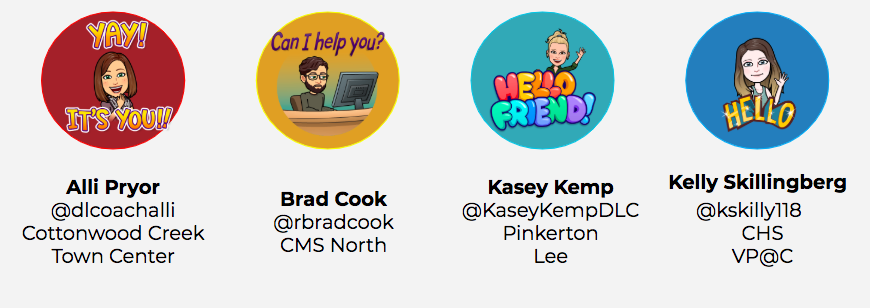
Coppell Digital Learning Coaches, Alli, Brad, Kelly, and Kasey recently hosted a webinar that explored critical thinking through Bulb.
What I loved about the webinar was how the discussions focused on teaching learners to think critically about their own learning process. If you missed it, click on the host’s Bitmoji image above to access all of their curated resources.
This week we would like to share a few Digital Learning Coaches Blog treats. Weekly, we share our learning with you and provide helpful resources through our blog. Today we are playing “Blog Trick or Treating”, so that you can also learn from other members of our team just like we do everyday. Check out a few “treats” highlighted below:
How is success defined in your classroom? How much of your assessment is done to learners instead of with learners? Digital portfolios can be a way to celebrate learning and growth for all.
Some of the Reasons We Love Digital Portfolios:
An opportunity to capture the process of learning, not just the end result.
Provides a picture of the whole child as a unique individual and personality beyond a test score.
Serves as a reflection space for learners and an opportunity to justify their own grades and develop their academic voice.
Improves the home-school connection by giving parents a broader window into the learning process.
Teaches digital citizenship skills in a world where learners are already developing online reputations.
Getting Started
Our district has adopted Bulb as our digital portfolio platform with easy to copy templates for learners and educators. If you are ready to get started, here are some instructions to get you on your way.
Should our kids learn to code, or should they code to learn? When coding, learners are developing transferable, life skills. Coding and computational thinking enhance problem solving skills that transfer to all content areas. The Turning Point educators at Victory Place @Coppell embrace this understanding and are using coding to inspire unlimited creative freedom, promote teamwork, elevate computational thinking skills, and develop leaders.
THE PLAYD8
High school learners at Victory Place learners were first exposed to the coding toys available to them through a “coding playd8”. We set up several different coding toys around the room and gave them free exploration “play” time with each toy.
THE ESCAPE ROOM PROJECT
Using the coding toys they experimented with in the PlayD8, the high schoolers designed and implemented escape rooms for the Denton Creek 4th grade learners. Each “room” had its own theme and several puzzles to solve. At least one of each room’s puzzles required a coding challenge for participants. Denton Creek 4th graders collaborated in teams to solve all puzzles in order to collect the clues needed to “escape” from the room.
Scooby-Doo Themed Code-A-Pillar Disco and Ozobot Maze Challenges
How quickly they can pull their escape room designs together. Particularly, because the learners at first are a little unsure about how others will take their ideas and are very protective of their feelings. Once they start to weigh the options of having their idea shot down verses not being ready, they start to realize they need to communicate with each other. Ideas start coming and things get pulled together very quickly.
What did you notice most when you observed the high school learners interacting with the fourth graders?
I think what I observed the most is that they severely underestimate the curiosity, tenacity, and intelligence of the fourth graders. We told them that “these are some smart fourth graders and we need to make this hard”. Getting our learners to challenge them in a real way is probably the most difficult part. I think that speaks to their character a little bit. They want to be nice and be helpful and then they realize it takes a little bit of coaching. It is ok for them to struggle. It is ok for them to fail.
What are the biggest take-away you see for your learners?
The elevation of computational thinking skills. It is severely underestimated how much of your day-to-day life encompasses computational thinking. To be able to take a problem, decompose into its smallest parts, look for patterns in both digital and life problems, and see where it is going haywire. Where can I make a change? What is a change that I can make that will affect several things? Computational thinking is not only good for their academic brain, but it is also good for their social emotional brain.
Designing the Escape Room
DESIGN YOUR OWN PLAYD8
Interested in incorporating coding lessons into your curriculum? Want to set up a Coding PlayD8 with your PLC team or the learners in your class? Comment below or drop us an email. We would be happy to design an experience with you.
Many of us keep track of our to-dos and events with Outlook’s calendar reminders feature. Did you know that you can customize when and how often you receive those reminders and how the organizer receives your response?
Customize Calendar Categories and Reminders
Edit reminders to events created by someone else...
Simply open the event in your calendar and edit the reminder time.
Use the Outlook app on your mobile devices and customize invite responses
Learn More
Revisit one of our previous, most popular posts featuring email overload tips and changing your Reply All settings here.
It’s not too late to connect your classroom with the world. Global Collaboration Week is still going on today and tomorrow. This event provides a one stop shop of opportunities for educators and learners looking to make connections around the globe. Participants from all over can collaborate on projects, make plans for future projects, or simply connect with one another to share information and resources. For links to events happening in Central Daylight Time Zone, click here.
On this planet we are all interdependent and ultimately already connected. Why not parallel that reality in your classrooms. Check out his video from the UN that really sums this up from the learner’s perspective.
Why Global Collaboration:
Authentic & Experiential Learning
Preparing our learners to contribute in an ever increasing globally connected society
Connect with Industry Experts
Newly Possible Virtual Experiences
Cultural Awareness & Empathy
Celebrate differences
Provide different perspectives
Collaboration
Real-world communication skills
Communicating and creating products despite time and space
Connecting
Building your PLN
Share Learning and resources
Find like-minded thought partners
Who's Connected?
Connecting learners with educators
Michael Yakubovsky’s learners are currently working on a project where they interview educators from other campuses to discover needs. Learners are designing solutions through 3-D printing inventions. Keep following to hear more about this as it develops.
Connecting learners across schools and grade levels
Pillar Castro-Zena’s learners connected with Kindergarteners through Flipgrid to get feedback on the toys they created during their design thinking unit. Read more about it here.
Connecting current learners with former learners
Ian Vanderschee hosted a Skype session with over 40 of his learners that have already graduated. He included a Q/A session for his current learners to hear what graduates said about college and preparing for college.
Connecting with other districts
Sr. Mares challenged his learners to create Earth Day children's books with a target audience of Spanish speaking fourth graders in mind. Sr. Mares connected with a fourth grade dual language educator in another city. Her learners read the books, and then met with his learners through Google Hangouts. The high schoolers were able to practice authentic conversations in Spanish and received feedback on their books from the fourth graders. Read more about it here.
Connecting with parents
Suzanne Paylor uses Flipgrid to bring parents into the conversations happening in her classroom.
Connecting through social media
Tracy Henson’s learners kept blogs related to causes that are dear to their hearts. The public blog tracks the learners’ journeys through research to fund raising. Example
We know so many more of you are making global connections, too! Inspire others. Tell you story below.